এটি একটি Sponsored টিউন। এই Sponsored টিউনটির নিবেদন করছে 'Sell Tech BD'
Sponsored টিউন by Techtunes ADs | টেকটিউনস এ বিজ্ঞাপণ দিতে ক্লিক করুন এখানে
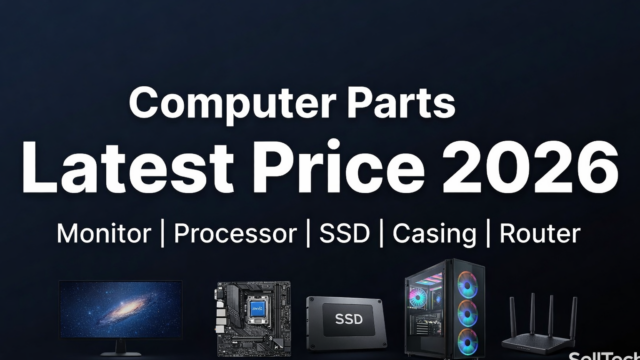
আসসালামু আলাইকুম প্রিয় টিউনার ভাই ও বোনেরা! Computer Parts কিনতে গিয়ে সবচেয়ে বড় সমস্যা কী জানেন? সঠিক দাম জানতে না পারা! এক Shop এ এক দাম, আরেক Shop এ আরেক দাম। কোনটা Original, কোনটা নকল - বোঝাই কঠিন। Online এ Price দেখলে Outdated - পুরনো Information। আজকের এই টিউনে আমি এমন একটা Platform এর কথা বলব, যেখানে আপনি পাবেন Computer Parts এর Latest এবং Updated Price সবসময়। কোনো Guesswork না, কোনো Outdated Information না। Direct শপ থেকে Live Price। এই টিউনে আমরা Focus করব ৫টা সবচেয়ে Important Category এর উপর - Monitor, Processor, SSD, Casing এবং Router। প্রতিটার Detail Buying Guide পাবেন সাথে Current Price Check করার Direct Link। চলুন শুরু করি!

১. Monitor - আপনার PC এর Face
Monitor এমন একটা Component, যা কেনার সময় সবচেয়ে বেশি Mistake হয়। শুধু Size দেখে কিনলে চলবে না, আরো অনেক Technical বিষয় বিবেচনা করতে হয়।
Monitor কেনার সময় যা দেখবেন
Resolution:
- Full HD (1920x1080) - Budget, Everyday use
- 2K/QHD (2560x1440) - Professional, Gaming
- 4K (3840x2160) - Content Creation, Premium Gaming
Refresh Rate:
- 60Hz - Office, Study
- 75Hz - Casual Use
- 100-144Hz - Casual Gaming
- 165-240Hz - Competitive Gaming
Panel Type:
- IPS - Best color accuracy (Design, Editing)
- VA - High contrast (Movie, General)
- TN - Fastest response (Pro Gaming)
- OLED - Premium (Best in every way)
Size:
- 22-24 inch - Standard desktop
- 27 inch - Sweet spot (Most popular)
- 32 inch - Immersive experience
- Ultrawide (29-34") - Productivity, Gaming
আমাদের Recommendations
Budget Monitor (৳8, 000-15, 000):
- 24" Full HD IPS
- Good for office/study
- Basic gaming ok
Mid-Range Monitor (৳15, 000-30, 000):
- 27" Full HD 144Hz IPS
- Perfect for gaming
- Professional work
Premium Monitor (৳30, 000-70, 000):
- 27" 2K 165Hz IPS
- Content creation
- Competitive gaming
Ultra Premium (৳70, 000+):
- 4K, OLED, Ultrawide
- Enthusiast level
Popular Brands: Samsung, LG, ASUS, Dell, Acer, MSI, Gigabyte
👉 সব Monitor এর Latest Price এবং Available Models দেখুন এখানে: 👉 Monitor Latest Price
২. Processor (CPU) - PC এর মস্তিষ্ক
Processor হলো PC এর সবচেয়ে Critical Component। সঠিক Processor না নিলে বাকি সব Parts এর Performance Waste হবে।
বর্তমান Market Overview (2026)
Intel Options:
- Core i3 (12th, 13th, 14th Gen) - Budget থেকে Mid
- Core i5 (12th, 13th, 14th Gen) - Best Value
- Core i7 (13th, 14th Gen) - High Performance
- Core i9 (13th, 14th Gen) - Enthusiast
AMD Options:
- Ryzen 3 (5000 Series) - Budget
- Ryzen 5 (5000, 7000 Series) - Sweet Spot
- Ryzen 7 (5000, 7000 Series) - High Performance
- Ryzen 9 (7000 Series) - Enthusiast
কোন Processor আপনার জন্য?
Basic Use (Browsing, Office, Study):
- Intel i3 12100 / Ryzen 3 4100
- Price Range: ৳10, 000-15, 000
Programming/Multitasking:
- Intel i5 12400 / Ryzen 5 5600
- Price Range: ৳18, 000-25, 000
Content Creation:
- Intel i5 13400 / Ryzen 5 7600
- Price Range: ৳25, 000-35, 000
Gaming Focus:
- Intel i5 13600K / Ryzen 5 7600X
- Price Range: ৳30, 000-45, 000
Professional Work:
- Intel i7 13700K / Ryzen 7 7700X
- Price Range: ৳45, 000-60, 000
Enthusiast/Streaming:
- Intel i9 14900K / Ryzen 9 7950X
- Price Range: ৳70, 000-90, 000
Processor কেনার সময় Check করুন
- Generation (নতুন generation বেশি efficient)
- Core & Thread count
- Base and Boost Clock Speed
- Cache Size
- TDP (Power consumption)
- Socket compatibility (Motherboard এর সাথে)
- Integrated Graphics আছে কিনা
👉 সব Processor এর Live Price এবং Stock Status: 👉 Processor Live Price
৩. SSD - Speed এর নাম
HDD ছেড়ে SSD তে Upgrade করলে আপনার PC এর Speed ১০ গুণ বাড়বে। আজকের যুগে SSD ছাড়া PC অকেজো।
SSD এর ধরন এবং পার্থক্য
SATA SSD:
- Speed: 500-550 MB/s
- Price: সবচেয়ে সস্তা
- Use: Basic upgrade, পুরনো PC
- Interface: SATA 3
NVMe SSD Gen 3:
- Speed: 2000-3500 MB/s
- Price: Moderate
- Use: General purpose
- Interface: PCIe 3.0 M.2
NVMe SSD Gen 4:
- Speed: 5000-7000 MB/s
- Price: Premium
- Use: Gaming, Content Creation
- Interface: PCIe 4.0 M.2
NVMe SSD Gen 5:
- Speed: 10000-14000 MB/s
- Price: Ultra Premium
- Use: Professional, Enthusiast
- Interface: PCIe 5.0 M.2
Capacity Guide
- 250GB - Boot drive only (OS install)
- 500GB - Basic use, few programs
- 1TB - Sweet spot, most users
- 2TB - Gaming, professional
- 4TB+ - Content creator, storage heavy
Popular Brands
- Samsung (980, 990 Pro Series) - Premium
- WD Black SN850X - Gaming Focused
- Kingston KC3000 - Value King
- Lexar NM790 - Budget Champion
- Adata XPG - Great Value
- Crucial P5 Plus - Reliable
- Team Group - Budget Friendly
SSD কেনার সময় দেখুন
- Read/Write Speed
- DRAM cache আছে কিনা
- TBW (Total Bytes Written) rating
- Warranty period (5 years standard)
- Interface compatibility
Recommendation by Use Case
- Budget Upgrade: Kingston/Adata 500GB SATA (৳3, 500-5, 000)
- General Use: Lexar/WD 1TB NVMe Gen 3 (৳6, 500-9, 000)
- Gaming: WD Black/Samsung 1TB Gen 4 (৳10, 000-15, 000)
- Professional: Samsung 990 Pro 2TB Gen 4 (৳18, 000-25, 000)
- Enthusiast: Crucial T700 2TB Gen 5 (৳30, 000+)
👉 সব Brand এর SSD এর Latest Price: 👉 SSD Latest Price
৪. PC Casing - Style এবং Performance এর Combo
অনেকেই মনে করেন Casing শুধু দেখতে সুন্দর হলেই হবে। কিন্তু সঠিক Casing না নিলে আপনার PC এর Airflow, Cooling, এবং Long-Term Performance সব ক্ষতিগ্রস্ত হবে।
Casing এর Types
Full Tower:
- Size: বড়
- Support: E-ATX Motherboard
- Use: Enthusiast, Custom Loop
- Price: ৳8, 000+
Mid Tower:
- Size: Standard
- Support: ATX Motherboard
- Use: Most Popular
- Price: ৳3, 000-15, 000
Mini Tower:
- Size: Compact
- Support: mATX Motherboard
- Use: Space Saving
- Price: ৳2, 500-8, 000
SFF (Small Form Factor):
- Size: Very Small
- Support: mITX Motherboard
- Use: HTPC, Compact Build
- Price: ৳5, 000-20, 000
Casing কেনার সময় Check করুন
Airflow Design:
- Front Mesh Panel (Best airflow)
- Multiple fan mount options
- Dust filters
- Top and bottom vents
Build Quality:
- Steel/Aluminum construction
- Tempered glass side panel
- Solid frame
- No sharp edges
Cable Management:
- Behind motherboard space (25mm+)
- Rubber grommets
- Cable tie points
- PSU shroud
Component Support:
- GPU length clearance (300mm+)
- CPU cooler height clearance
- Radiator support (240mm/280mm/360mm)
- Storage bays (2.5" and 3.5")
Features:
- Front I/O ports (USB 3.0, USB-C, Audio)
- RGB lighting
- Fan controller
- Pre-installed fans
Popular Casing Brands & Models
Budget (৳3, 000-5, 000):
- Antec NX Series
- Xigmatek Series
- Deepcool Matrexx
- Value Top VT
Mid-Range (৳5, 000-10, 000):
- Cooler Master MasterBox
- Corsair 4000D Airflow
- NZXT H510
- Lian Li Lancool II Mesh
- MSI MAG Series
Premium (৳10, 000-20, 000):
- Lian Li O11 Dynamic
- Corsair 5000D Airflow
- Fractal Design Meshify 2
- NZXT H7 Flow
- Phanteks Enthoo Pro
Enthusiast (৳20, 000+):
- Lian Li O11 Dynamic XL
- Corsair 7000D Airflow
- HYTE Y60/Y70
- Thermaltake Core P Series
Special Categories
Gaming RGB Casing:
- Attractive lighting effects
- Tempered glass
- Multiple ARGB fans
- Popular for streaming setup
Silent/Quiet Casing:
- Sound dampening material
- Fewer fans
- Perfect for office use
- Be Quiet! series famous
👉 সব Casing এর Latest Collection ও Price: 👉 Casing Latest Collection & Price
৫. Router - Internet এর Backbone
সবচেয়ে অবহেলিত Network Device হলো Router। ভালো Internet Connection কিনেও যদি Router খারাপ হয়, পুরো Experience নষ্ট। Wi Fi Speed, Coverage, Stability - সব Depend করে Router এর Quality এর উপর।
Router এর Types
WiFi Standard:
- WiFi 4 (802.11n) - পুরানো, avoid করুন
- WiFi 5 (802.11ac) - Standard, budget
- WiFi 6 (802.11ax) - Latest, recommended
- WiFi 6E - Premium, 6GHz support
- WiFi 7 (802.11be) - Future proof
Band Support:
- Single Band (2.4GHz only) - Very basic
- Dual
👉 Latest Collection ও Price: 👉 Router Latest Collection & Price
এটি একটি Sponsored টিউন। এই Sponsored টিউনটির নিবেদন করছে 'Sell Tech BD'
Sponsored টিউন by Techtunes ADs | টেকটিউনস এ বিজ্ঞাপণ দিতে ক্লিক করুন এখানে















দারুণ টিউন! নতুন PC বিল্ড বা আপগ্রেড করার আগে Monitor, SSD, Processor, Casing কিংবা Router-এর দাম ও স্পেসিফিকেশন একসাথে দেখে নেওয়া সত্যিই অনেক কাজে দেয়। সঠিক তথ্য থাকলে বাজেটের মধ্যে সেরা পণ্য বেছে নেওয়াও সহজ হয়।