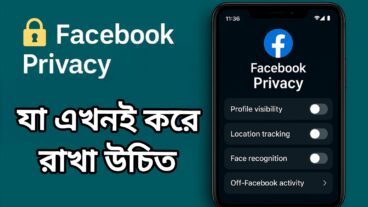

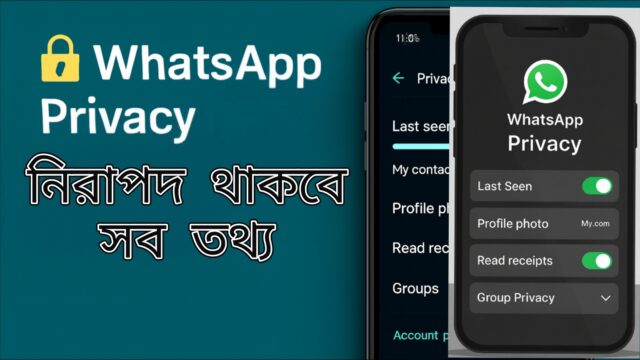
Why is WhatsApp Privacy Important?🔐 WhatsApp is now not just about chats, but also sharing photos, videos, documents, and even payments. 🛡️ Without the right privacy settings, your personal information can be seen by others, and it can be at great risk📲 So some settings must be turned on.
1) Control Last Seen & Online Status 👀Settings → Privacy → Last Seen & Online → Choose “My Contacts” or “Nobody”👉 Result: No one you don't know will be able to see your online status.
2) Restrict Profile Photo and About 📸Settings → Privacy → Profile Photo → My ContactsSettings → Privacy → About → My Contacts👉 Result: Only acquaintances will be able to see your profile photo and information.
3) Turn off Read Receipts ✅Settings → Privacy → Read Receipts → Off👉 Result: Others will not be able to tell if you have read their messages.
4) Set Group Privacy 👥Settings → Privacy → Groups → “My Contacts” or “My Contacts Except…”👉 Result: No one you know will be able to add you to the group.
5) Turn on Disappearing Messages 🕒Chat → Contact Info → Disappearing Messages → 24 Hours / 7 Days / 90 Days👉 Result: Messages will be deleted automatically after a specified period of time.
Additional tips 🌟
Enable Two-Step Verification (Settings → Account → Two-step verification → Enable)
Use Fingerprint Lock (Settings → Privacy → Fingerprint Lock → On)
Log out after using WhatsApp Web.
Backup → Turn on End-to-End Encrypted Backup
Verify before clicking on Unknown Links
Privacy checklist ✅
Last Seen: My Contacts/Nobody
Profile Photo: My Contacts
Read Receipts: Off
Group Privacy: Controlled
Disappearing Messages: On
Two-Step Verification: Enabled
Fingerprint Lock: On
Conclusion 📌If you set WhatsApp Privacy settings correctly, your personal information will be safe. Many people forget about them, but if you check them regularly, you will get rid of hacking, spam, and problems from strangers, InshaAllah. Stay safe and protect your phone information too.

আমি সাব্বির হোসেন। Home, No, Kurigram। বিশ্বের সর্ববৃহৎ বিজ্ঞান ও প্রযুক্তির সৌশল নেটওয়ার্ক - টেকটিউনস এ আমি 8 মাস যাবৎ যুক্ত আছি। টেকটিউনস আমি এ পর্যন্ত 7 টি টিউন ও 1 টি টিউমেন্ট করেছি। টেকটিউনসে আমার 1 ফলোয়ার আছে এবং আমি টেকটিউনসে 0 টিউনারকে ফলো করি।
আমি Techtunes.io-তে নিয়মিত Mobile Tips & Tricks আর্টিকেল লিখি, যেখানে Android, WhatsApp, Facebook, Instagram ও Privacy সেটিংস নিয়ে সহজ বাংলায় গাইড শেয়ার করি।